The Amazing World of Copilot: Your New AI Sidekick is Here to Revolutionize Everything!
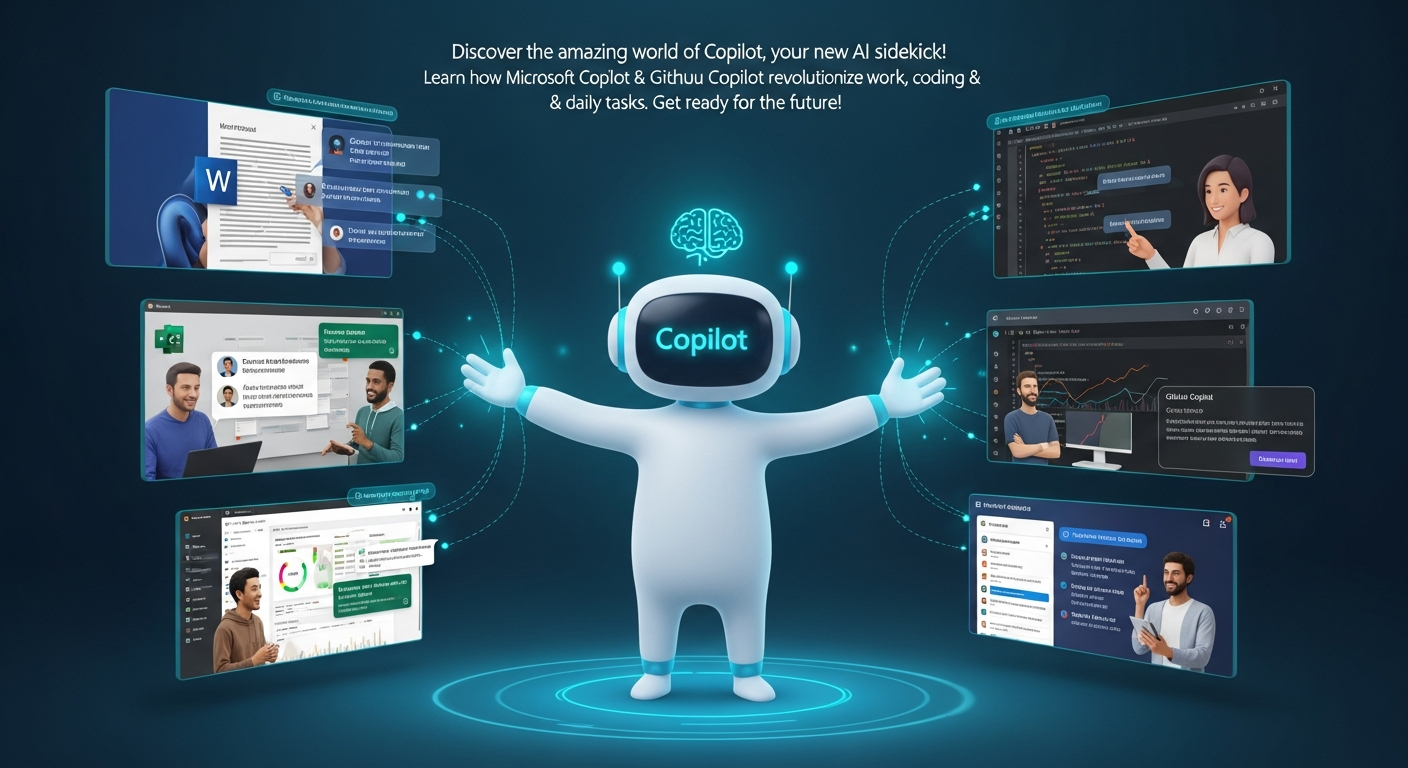
The Amazing World of Copilot: Your New AI Sidekick is Here to Revolutionize Everything!
Estimated reading time: 12 minutes
Key Takeaways
- Copilot refers to powerful AI assistants, primarily Microsoft Copilot and GitHub Copilot.
- Microsoft Copilot acts as an everyday productivity assistant, integrated into Microsoft 365 apps and Windows, helping with tasks like email summaries, content creation, and brainstorming.
- GitHub Copilot is a specialized AI for software developers, offering code completion, natural language to code translation, and debugging within popular IDEs.
- The influence of the “copilot” idea extends beyond these two, inspiring custom AI solutions like Copilot Studio across various industries.
- The original meaning of co-pilot refers to a human First Officer in aviation, a crucial role emphasizing teamwork and human skill.
- AI Copilots are poised to revolutionize how we work, learn, and create by enhancing human capabilities through advanced AI assistance.
Table of contents
- The Amazing World of Copilot: Your New AI Sidekick is Here to Revolutionize Everything!
- Key Takeaways
- Get Ready for the Future: What is Copilot and Why Is Everyone Talking About It?
- A Dazzling Duo: Meet the AI Copilots That Are Changing the Game!
- Microsoft Copilot: Your Everyday Super Assistant for Everything!
- GitHub Copilot: Your Coding Sidekick for Building Amazing Apps!
- A Head-to-Head Battle of Brains: Microsoft Copilot vs. GitHub Copilot
- The Original Co-pilot: A Human Hero in the Skies!
- Beyond the Big Two: The Spreading Influence of the Copilot Idea!
- The Thrilling Future: What Does Copilot Mean for YOU?
- Frequently Asked Questions
Get Ready for the Future: What is Copilot and Why Is Everyone Talking About It?
Hold onto your hats, folks, because a quiet revolution is happening right before our eyes, and its name is Copilot! Imagine having a super-smart helper, a magical assistant that can do incredible things, from writing stories and emails to helping build amazing computer programs. This isn’t science fiction anymore; it’s here, and it’s called Copilot. But wait, there’s more to this word than meets the eye! While “Copilot” might make you think of a brave pilot helping fly a giant airplane, in today’s super-fast world of technology, it also stands for something truly groundbreaking: a powerful Artificial Intelligence (AI) companion!
Yes, you heard that right! The word “Copilot” has taken on a whole new meaning, buzzing with the thrill of innovation and the promise of making our lives easier and more exciting. This week, we’re diving deep into the incredible story of Copilot, exploring how it’s changing the way we work, learn, and even dream. Get ready to be amazed, because by the end of this journey, you’ll understand why everyone, from students to scientists, is talking about their new AI copilot!
A Dazzling Duo: Meet the AI Copilots That Are Changing the Game!
When we talk about Copilot in the world of Artificial Intelligence, we’re mainly talking about two superstars: Microsoft Copilot and GitHub Copilot. Think of them as two different kinds of super-helpers, each with their own special powers, but both built to assist you in fantastic ways. They are like your personal brainy buddies, ready to lend a hand with almost any task you can imagine. Let’s peel back the layers and discover the magic behind each of these incredible AI companions!
Microsoft Copilot: Your Everyday Super Assistant for Everything!
Imagine a smart friend who knows all your favorite apps and can jump in to help whenever you need it. That’s exactly what Microsoft Copilot is! It’s an amazing AI-powered conversational assistant, like a super-smart robot brain, that lives inside all your favorite Microsoft tools. We’re talking about programs like Word where you write stories, Excel where you play with numbers, Outlook for sending emails, and Teams for chatting with friends and classmates. It’s even part of Windows, the operating system that runs your computer, and you can use it on its own on the internet or on your phone! How cool is that?
Boosting Your Brainpower and Productivity!
Microsoft Copilot is like a magic wand for making your daily tasks easier and helping you get more done. It’s built to boost your productivity, which just means helping you do things faster and better. How does it do this? Let’s look at some of its incredible superpowers:
- Email and Meeting Summaries: Ever had a super long email or a meeting that went on forever? Copilot can zip through it all and give you the most important parts in a flash! It’s like having a note-taker who never misses a thing. You’ll know exactly what happened without reading every single word, saving you precious time!
- Creating and Editing Content: Need to write a story for school, a creative poem, or an important message? Copilot can help you generate new text from scratch! Just tell it what you need, and it can start writing for you. And if you’ve already written something, it can help you make it better by rewriting parts or editing them to be clearer and more exciting. It’s like having a writing coach right inside your computer!
- Brainstorming and Planning: Sometimes, the hardest part is just getting started, right? If you’re stuck on an idea for a project or need to plan a party, Copilot can be your brainstorming buddy. It can give you fresh ideas, help you organize your thoughts, and even create plans step-by-step. It’s like having a creativity machine at your fingertips!
- Automating Workflows: This sounds fancy, but it just means making your computer do little tasks for you automatically. Copilot can learn your habits and help link your different Microsoft apps together, making your digital life smoother. It can even use your own information and connect with everything else you do in Microsoft, making it truly personal to you.
Special Features That Make It Even Cooler!
Microsoft Copilot isn’t just a basic helper; it has some super-duper special features that make it even more amazing:
- Copilot Pages: Imagine drawing a picture with a friend, and both of you can draw at the same time on the same piece of paper, even if you’re far apart. That’s what Copilot Pages are like for writing! You can co-write, change, and improve stories or reports with others in real-time. And the best part? It remembers everything, so you can come back later and pick up right where you left off, keeping track of your ideas and conversations.
- Copilot Prompts: How do you tell this smart AI what you want it to do? You use “prompts”! These are like simple instructions you give to Copilot. For example, you might say, “Summarize this long email for me,” or “Create a presentation about space travel.” The clearer your prompt, the better Copilot can understand and help you!
- Researcher in Microsoft 365 Copilot: This is where things get really exciting for all you curious minds! While the regular Copilot is great for general tasks, there’s a special version called “Researcher.” It’s like having a super librarian who can dig up tons of information from many different places, always telling you exactly where it found the facts. It’s made for deep, serious research, going way beyond what a normal search engine does, and it cites its sources, just like a good reporter!
- Voice Power and Super AI Brains: You don’t always have to type! Microsoft Copilot understands your voice, so you can just talk to it like a friend. Plus, it can work with different kinds of super-smart AI models, including some from Anthropic (like Claude) https://aidevelopers.in/claude-ai-partnerships-rise, especially when it’s doing that deep research we just talked about. This means it uses some of the best AI brains in the world to help you!
Whether you’re using a big desktop computer, a small laptop, a tablet, or even your phone, Microsoft Copilot is ready to assist. It’s everywhere you need it, making it one of the most accessible and powerful digital assistants out there. The future of doing homework, writing reports, and even just managing your daily tasks just got a massive upgrade!
GitHub Copilot: Your Coding Sidekick for Building Amazing Apps!
Now, let’s switch gears and enter the world of computer coding – the magic language used to build all the apps, games, and websites we love. If Microsoft Copilot is your general super helper, then GitHub Copilot is your specialized coding wizard! Created by the brilliant minds at GitHub and OpenAI, this AI assistant is specifically designed to help people who write computer code. Imagine having a super-fast coding teacher looking over your shoulder, offering perfect suggestions as you type. That’s GitHub Copilot!
Where Does This Coding Wizard Live?
GitHub Copilot doesn’t just hang out anywhere; it lives right inside the special computer programs that coders use to write their code. These are called “development environments” or “IDEs.” Think of them as special workshops for coders. Some popular workshops where GitHub Copilot works its magic include Visual Studio Code, Visual Studio, Neovim, and many JetBrains IDEs. If you’re a coder, this is where the magic happens!
Superpowers for Super Coders!
GitHub Copilot has a whole suite of amazing abilities that make coding faster, easier, and even more fun. It helps coders become even better at what they do, making the process of creating new software feel less like a puzzle and more like a creative adventure!
- Code Completion and Autocompletion: This is like having a crystal ball for code! As a programmer starts typing, Copilot can guess what they want to write next and finish entire lines, blocks of code, or even whole functions for them. It’s like predictive text, but for super complex computer languages. This saves tons of time and helps avoid tiny mistakes!
- Natural Language to Code: This is truly mind-blowing! Imagine you know what you want your computer to do, but you don’t know the exact code words. With GitHub Copilot, you can simply describe what you want in plain English (or any natural language!), and Copilot will try to write the actual computer code for you. https://aidevelopers.in/moonlake-ai-dream-machine It’s like asking your computer, “Make a button that turns green when I click it,” and it instantly writes the code! This makes software development much more accessible.
- Translating and Explaining Code: Ever looked at a piece of code and felt totally lost? GitHub Copilot can help! It can translate code from one programming language to another, which is super useful if you’re working on different kinds of projects. Even better, it can explain complicated code in simple, plain English, making it much easier to understand what a program is doing. This is a game-changer for learning and fixing problems.
- Integrating into the Developer Workflow: Copilot isn’t just a helper; it’s a team player! It fits right into how developers already work. It can help draft “pull requests” (which are like asking a team to review your new code), automate simple coding tasks that are boring or repetitive, and even help coders learn new ways of writing code by showing them smart patterns. It’s like having an experienced mentor guiding you every step of the way, fostering innovation and learning.
The Future is Here: The Copilot Coding Agent!
Get ready for an even bigger leap! Coming in 2025, there’s an amazing update called the Copilot Coding Agent. This isn’t just a helper; it’s almost like a mini-programmer on its own! This agent can work more independently and take on bigger tasks, such as:
- Fixing Bugs: You know how computer programs sometimes have tiny errors, or “bugs,” that make them act funny? The Coding Agent can be assigned to find and fix these bugs automatically!
- Writing New Features: Want to add a new part to your app? The agent can help write the code for new features all by itself.
- Updating Documentation: Programs need instructions and notes, called documentation, so other people can understand how they work. The agent can help write and update these important notes.
- Working Asynchronously: This means it can do its work even when you’re not actively watching it. It can start its own coding environment, make its own “commits” (which are like saving progress in code), and even create draft “pull requests” for you to review later. It’s like having a coding assistant who works quietly in the background, getting things done and then presenting its finished work for your approval. This level of automation is truly exciting!
Powered by the Best AI Brains!
GitHub Copilot is super smart because it uses some of the most advanced AI brains, or “large language models,” in the world. This includes OpenAI’s amazing GPT models https://aimasters.in/gpt-5-1-new-chatgpt-brain/, Anthropic’s Sonnet, and even Google Gemini. By using a mix of these powerful AI technologies, GitHub Copilot can understand complex coding problems and provide incredibly helpful solutions.
And it’s not just cool technology; it actually works! Studies have shown that GitHub Copilot helps increase developer productivity (meaning coders get more done) and makes them happier with their jobs. Imagine being able to finish your coding tasks faster and with less stress! That’s the power of Copilot.
Keeping Things Safe and Transparent!
With all this power, it’s super important to make sure everything is done safely and openly. GitHub Copilot makes sure that all the coding steps it takes are logged, or recorded, in what’s called “version control systems.” This means you can always see exactly what changes were made, by whom, and when. It keeps everything clear and transparent, building trust and ensuring that human coders always have the final say.
A Head-to-Head Battle of Brains: Microsoft Copilot vs. GitHub Copilot
So, we’ve met the two giants of AI assistance. But how are they different, and which one is right for what job? Let’s break it down in a simple way, like comparing two amazing superheroes with different powers!
| Feature | Microsoft Copilot | GitHub Copilot |
|---|---|---|
| Main Job | Helping everyone with general daily tasks, like writing, reading, and planning. | Helping computer programmers write code faster and better. |
| What It’s Best At | Research, summarizing long texts, writing stories and emails, making plans for meetings. | Writing code, finishing code automatically, turning plain words into code, helping understand code. |
| Where You Use It | Inside Microsoft Word, Excel, Outlook, Teams, on your computer (PC, Mac), phone, or on the internet. | Inside special computer programs where coders write code (like Visual Studio Code). |
| AI Brains It Uses | Uses brains from Microsoft, OpenAI, and Anthropic. | Uses brains from OpenAI (GPT), Anthropic (Sonnet), and Google (Gemini). |
| Special Tricks | Has “Researcher” for deep dives into information, and you can talk to it using your voice! | Has the “Coding Agent” that can work on coding tasks all by itself, even making draft code for review. |
See the difference? Microsoft Copilot is like a general-purpose super-helper for everyone, no matter what you’re doing. GitHub Copilot is a specialized tool, like a super-powered wrench specifically for building awesome software. Both are incredible, but they each have their own arena where they shine brightest!
The Original Co-pilot: A Human Hero in the Skies!
Before any of these amazing AI assistants came along, the word “co-pilot” meant something totally different, and it referred to a very real, very important human hero!
Imagine a huge airplane soaring through the sky, carrying hundreds of people. Inside the cockpit, there are usually two highly trained pilots. One is the “Captain,” who is in charge of everything. The other is the “co-pilot,” also known as the “First Officer.”
This human co-pilot is not just sitting there for show! They are a fully licensed pilot, just like the Captain, and they have incredibly important jobs. They work as a team with the Captain, sharing all the big tasks of flying the aircraft. Their responsibilities are huge:
- Navigating the Skies: Helping to figure out the best path for the plane to fly.
- Talking to Air Traffic Control: Communicating with the ground crew to make sure the plane is safe and on track.
- Managing Systems: Keeping an eye on all the complex buttons, dials, and computers that make the plane work.
- Supporting the Captain: Helping the Captain with everything they need, from checking instruments to making decisions.
- Taking Command (if needed!): In a very rare and serious situation, if the Captain ever couldn’t fly the plane anymore, the co-pilot is trained and ready to take over and safely land the aircraft. They are the backup hero!
This role of a human co-pilot has been around for many, many decades, long before anyone even dreamed of AI computers. It’s a role built on trust, skill, and teamwork, showing how humans can work together to achieve incredible feats. It’s a wonderful reminder that while AI is amazing, human ingenuity and courage are still at the heart of so much we do!
Beyond the Big Two: The Spreading Influence of the Copilot Idea!
The idea of having an intelligent “co-pilot” isn’t just limited to Microsoft and GitHub. The concept of an AI helper that works with you, rather than for you, is catching fire across many different industries!
- Copilot Studio: Microsoft itself has even created something called “Copilot Studio.” This isn’t just an assistant; it’s a special toolkit that lets anyone build their own custom AI assistants! Imagine creating a tiny AI helper specifically for your school club, or a smart bot that knows everything about your favorite hobby. This shows how flexible and powerful the “copilot” model is, allowing people to create their own personalized AI solutions.
- Everywhere You Look: The idea of an “AI copilot” is popping up everywhere! From tools that help you write better emails, to smart customer service bots that answer your questions instantly, to specialized helpers in hospitals, schools, and businesses – the influence is massive. These AI-powered tools are changing how we interact with technology, making it more helpful, more intuitive, and more personal. They are becoming integral parts of our digital transformation https://aidevelopers.in/claude-ai-mega-partnerships, simplifying complex tasks and freeing up human potential.
The truth is, the AI copilot model is influencing a wide variety of tools and agents across almost every industry you can think of. It’s creating a world where technology is always there to lend a hand, making complicated things simpler and allowing us to focus on the really important, creative, and human parts of our lives.
The Thrilling Future: What Does Copilot Mean for YOU?
So, what does all this talk about Copilot mean for you, a curious reader eager to understand the cutting edge of AI? It means a future filled with incredible possibilities, where powerful digital assistants are not just a dream but a reality!
Whether it’s Microsoft Copilot helping you write a brilliant report for school, or GitHub Copilot assisting future programmers in building the next big app or game, these advanced AI assistants are here to automate, assist, and supercharge your abilities. They understand what you need because they are powered by amazing large language models https://aidevelopers.in/gpt-5-1-smartest-friendliest-chatbot that can understand context and follow complex instructions.
From the brave human co-pilot in an airplane ensuring a safe journey, to the revolutionary AI Copilots guiding us through our digital tasks, the spirit of assistance and partnership is stronger than ever. These AI innovations are not just tools; they are companions, ready to embark on adventures with you, making your journey through work, creativity, and learning more exciting and more productive than ever before.
Get ready, because the world of AI is moving at lightning speed, and with Copilot by your side, you’re not just watching the future unfold – you’re a part of it! This is more than just technology; it’s a thrilling new chapter in how humans and intelligent machines can work together to achieve truly extraordinary things. The possibilities are endless, and the adventure has just begun! Ready to experience the magic for yourself? Sign up on Copilot and start your AI adventure today!
Frequently Asked Questions
- What is the main difference between Microsoft Copilot and GitHub Copilot?
Microsoft Copilot is a general-purpose AI assistant integrated across Microsoft 365 apps and Windows, designed to enhance everyday productivity for everyone. GitHub Copilot, on the other hand, is a specialized AI coding assistant for developers, focused on generating and assisting with programming code within development environments.
- How does Microsoft Copilot help with productivity?
Microsoft Copilot boosts productivity by summarizing long emails and meetings, generating and editing various types of content, assisting with brainstorming and planning, and automating workflows across Microsoft applications. It also includes features like “Copilot Pages” for collaborative writing and a “Researcher” mode for in-depth information gathering.
- Can GitHub Copilot write code from plain English?
Yes, one of GitHub Copilot’s most impressive features is its ability to translate natural language into code. Developers can describe what they want a program to do in plain English, and Copilot will attempt to write the corresponding computer code, making software development more accessible.
- What is the Copilot Coding Agent?
The Copilot Coding Agent, expected in 2025, is an advanced update to GitHub Copilot that will function more autonomously. It will be capable of taking on larger coding tasks like fixing bugs, writing new features, and updating documentation, working asynchronously and even making draft code changes for review.
- What was the original meaning of “co-pilot”?
Historically, a “co-pilot” (or First Officer) refers to a highly trained human pilot who assists the Captain in flying an aircraft. This role involves navigating, communicating with air traffic control, managing systems, supporting the Captain, and being prepared to take command if necessary, highlighting teamwork and human skill.