Copilot: Your Amazing AI Sidekick is Revolutionizing the World!
Copilot: Your Amazing AI Sidekick is Revolutionizing the World!
Estimated reading time: 10 minutes
Key Takeaways
- Copilot refers to powerful AI assistants like GitHub Copilot and Microsoft Copilot, designed to enhance human productivity.
- GitHub Copilot is an AI coding partner that suggests code, functions, and even entire solutions for developers, dramatically speeding up software development.
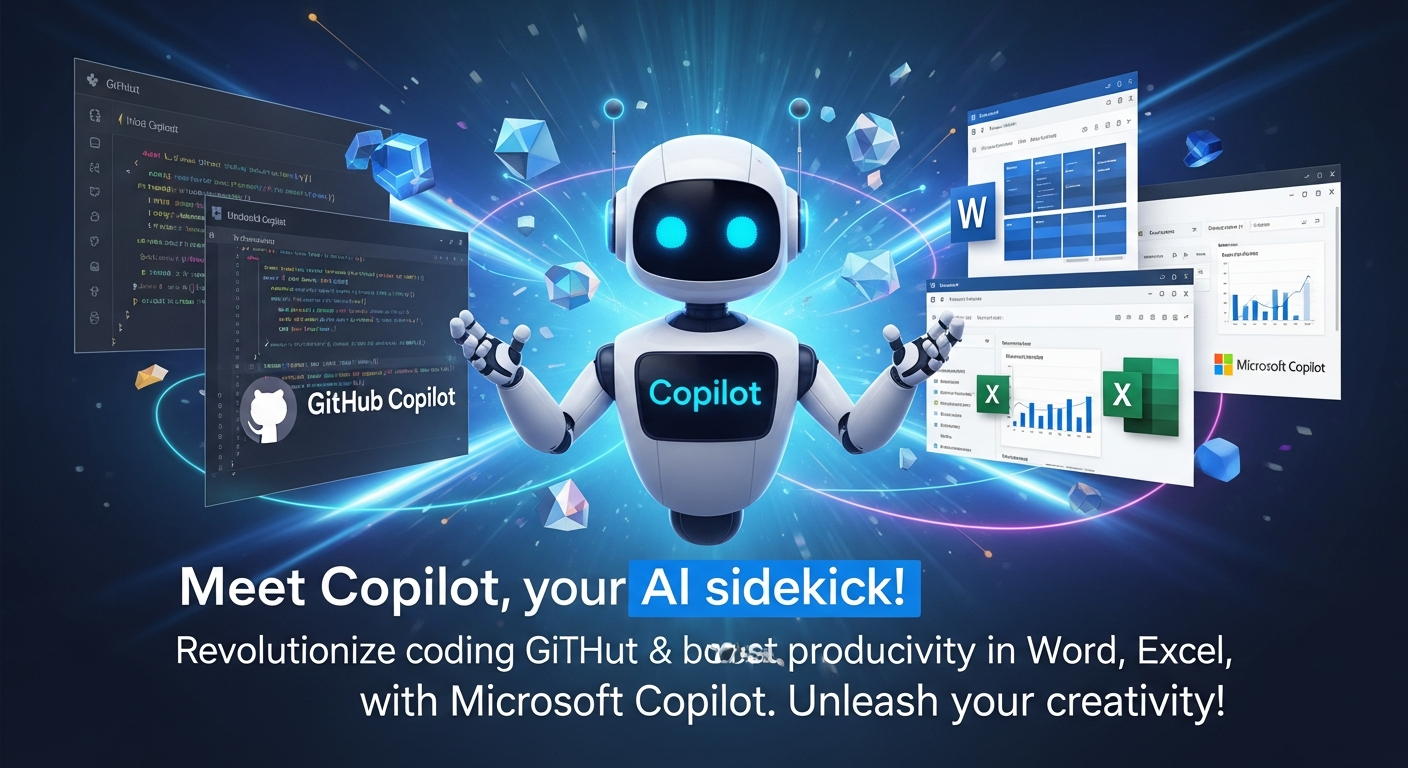
- Microsoft Copilot integrates across Microsoft 365 apps (Word, Excel, PowerPoint, Outlook) to assist with writing, research, data analysis, and creative content generation.
- The name “Copilot” reflects the AI’s role as a partner, assisting a primary operator, similar to a human co-pilot in aviation.
- The future of Copilot involves more autonomous “AI agents” that can handle complex tasks, further boosting efficiency and transforming digital workflows.
- Despite AI’s capabilities, human oversight remains critical for ensuring accuracy, quality, and data privacy in AI-generated content and code.
- Effective “prompts” are key to maximizing Copilot’s potential, allowing users to guide the AI towards desired outcomes.
Table of Contents
- Copilot: Your Amazing AI Sidekick is Revolutionizing the World!
- Key Takeaways
- The Amazing AI-Powered Copilot Technologies: Meet Your New Best Friends!
- The Original Co-pilot: Heroes of the Skies
- The Amazing Connection: Why Both Are Called Copilot
- Peeking into Tomorrow: The Exciting Future of Copilot!
- Navigating the New Frontier: Important Things to Remember
- The Amazing Journey Continues: Copilot is Your Partner in Progress!
- Frequently Asked Questions
Have you ever wished you had a super-smart assistant by your side, ready to help you with almost anything? Imagine a helper that could write stories for you, fix tricky computer code, or even make beautiful pictures just from your ideas! Well, get ready, because that incredible helper is here, and it’s called Copilot! This week, the buzz in the world of Artificial Intelligence (AI) is all about Copilot, a name that’s becoming a true legend, changing how we work, learn, and even imagine.
Now, you might hear the word “copilot” and think of a brave person flying an airplane alongside the main pilot. And you wouldn’t be wrong! That’s one very important meaning. But in today’s fast-moving world, especially when we talk about amazing new technology, Copilot mostly refers to super-smart computer programs that help people with tasks, making our digital lives much easier and more exciting. These AI-powered assistants are like having a brilliant friend who knows all about coding, writing, and even doing research, working right there with you!
Let’s dive into the thrilling world of Copilot, where computers learn, create, and assist us in ways we never thought possible. Get ready to be amazed, because the future is not just coming; it’s already here, and it has a fantastic helper named Copilot!
The Amazing AI-Powered Copilot Technologies: Meet Your New Best Friends!
Picture this: clever computer programs that use the power of Artificial Intelligence to become your personal assistants. These aren’t just simple tools; they’re like digital brains designed to understand what you need and help you get it done. When we talk about AI-powered Copilot technologies, two big names stand out: GitHub Copilot and Microsoft Copilot. Each one is a marvel in its own right, offering unique superpowers to different kinds of users. Let’s explore them!
1. GitHub Copilot: The Code-Writing Superstar!
Imagine you’re building with LEGOs, and every time you pick up a piece, a super-smart robot hands you the next perfect piece you need, sometimes even building a whole section for you! That’s a bit like what GitHub Copilot does for people who write computer code.
What exactly is GitHub Copilot?
It’s an incredibly clever AI assistant designed especially for people who write computer programs, also known as developers or coders. Think of it as a magical partner that helps complete your code. It was created by two very famous tech companies: GitHub, which is like a giant online library for computer code, and OpenAI, which builds some of the smartest AI brains in the world.
This amazing tool isn’t a separate app you open on its own. Instead, it lives inside the special computer programs where coders write their code. These programs are called “software development environments” or “IDEs” for short. Places like Visual Studio Code, Visual Studio, Neovim, and JetBrains IDEs are where GitHub Copilot truly shines. It’s seamlessly woven into the fabric of the coding experience, making it feel like a natural extension of a developer’s thoughts.
What incredible things can GitHub Copilot do? Let’s explore its core features:
- Suggests Code Lines: This is one of its most basic, yet most powerful tricks. As a coder types, GitHub Copilot watches, learns, and then tries to guess what the coder wants to write next. It’s like predictive text on your phone, but for complex computer code! It can suggest the very next line of code, helping coders type faster and avoid mistakes. It learns from billions of lines of code that humans have already written, so its suggestions are often exactly what’s needed. This speeds up the coding process enormously, saving developers precious time and effort. Imagine if every time you were writing a story, your pencil offered you the perfect next sentence!
- Suggests Functions: Code isn’t just single lines; it’s made up of bigger blocks called “functions” or “methods” that do specific jobs. GitHub Copilot can suggest these whole blocks of code. For example, if you’re building a game and need a function to make a character jump, Copilot might suggest the entire “jump” function for you, complete with all the necessary instructions. This means coders don’t have to write every single detail from scratch, letting them focus on the bigger picture of their project. It empowers them to build more complex features much faster than before.
- Suggests Entire Code Solutions: This is where it gets really exciting! GitHub Copilot doesn’t just offer snippets; it can sometimes propose entire solutions to coding problems. If a developer needs to connect to a database or create a new kind of list, Copilot can generate a significant chunk of the required code. It’s like asking a super-smart friend, “How do I build this part?” and they hand you a nearly finished blueprint! This is a massive leap forward in automating the more routine aspects of programming, freeing up human minds for deeper, more creative problem-solving.
- Translates Code Between Programming Languages: Imagine having a universal translator for computer languages! GitHub Copilot can take code written in one programming language (like Python) and help convert it into another (like JavaScript). This is incredibly useful for developers who work on different types of projects or need to update older programs. It breaks down language barriers in the digital world, making it easier to adapt and reuse existing code.
- Describes Code in English: Sometimes, computer code can look like a secret language full of strange symbols and words. GitHub Copilot can help you understand it by describing what the code does in plain English. This is a fantastic learning tool for new coders and a helpful reminder for experienced ones. It turns complicated instructions into easy-to-understand explanations, making code more accessible and less intimidating.
- Provides Contextual Chat Assistance and Explanations: The latest versions of GitHub Copilot are even smarter! You can now chat with it right inside your code editor. If you have a question about a piece of code, or you’re stuck on a problem, you can ask Copilot directly, and it will provide helpful explanations and suggestions based on the specific code you’re working on. It’s like having an expert tutor available 24/7, ready to clarify complex concepts or troubleshoot issues on the fly.
What’s coming next? The future is incredibly bright for GitHub Copilot!
In 2025 and beyond, GitHub Copilot is getting even more powerful. It’s designed to support a wide range of “large language models” (LLMs). Think of LLMs as the very big, very smart brains behind AI assistants, like OpenAI’s amazing GPT series and many others. This means Copilot will have even more brainpower to draw upon, making it smarter and more versatile.
One of the most thrilling developments is the introduction of the “Copilot coding agent.” An “agent” in the AI world is an intelligent helper that can work more independently. This coding agent is like a little AI worker that can perform entire software development tasks all by itself!
- Fixing Bugs: Imagine your code has a tiny mistake, a “bug,” that stops it from working right. The Copilot coding agent can actually find these bugs and suggest ways to fix them, sometimes even fixing them on its own!
- Implementing Features: If you want to add a new part to your program, like a button that does something special, the agent can help build that whole new “feature.”
- Updating Documentation: Programs need instructions and explanations so others can understand them. The agent can help write and update these important “documents.”
And here’s the really cool part: these agents can work “asynchronously” in cloud-based environments. This means they can be working in the background, on the internet, even when you’re not actively watching them. They can draft changes and then submit something called “pull requests” for you to review. A pull request is like the agent saying, “Hey, I made these changes, can you please check them and make sure they’re okay before we put them into the main program?” It’s a powerful new way for AI to truly partner with humans in creating complex software.
How does GitHub Copilot change how developers work? It’s a game-changer for productivity!
Studies have shown that GitHub Copilot truly boosts how fast developers can work. It handles the boring, repetitive tasks, like writing standard pieces of code or looking up how to do common things. This means developers don’t have to spend time on the simple stuff. Instead, their human brains can focus on the really hard, creative problems, designing new solutions, and working together with their teammates. It frees them to be more innovative, to dream bigger, and to tackle the challenges that truly need human ingenuity.
Who can get this amazing tool?
GitHub Copilot is available to individual developers who want to supercharge their coding skills, and also to businesses who want their whole team to be more productive. It works on a subscription basis, meaning you sign up to use its fantastic powers. It’s truly becoming a standard tool for modern software development.
2. Microsoft Copilot: Your AI Assistant for Everything Else!
If GitHub Copilot is the coding wizard, then Microsoft Copilot is the all-around digital assistant, ready to help you with almost anything in your daily computer life, especially within the popular Microsoft programs you might already use for school or work.
What exactly is Microsoft Copilot?
It’s an intelligent AI assistant that lives across Microsoft 365 (that’s the suite of programs like Word, Excel, and PowerPoint) and also on the internet. Its main job is to make your work tasks easier and faster. Think of it as a helpful genie for tasks like writing, coming up with new ideas (brainstorming), coding (yes, it helps with coding too!), doing research, and even automating workflows (making repetitive tasks happen automatically). It’s designed to boost your “productivity” – helping you get more done efficiently.
What incredible things can Microsoft Copilot do? Prepare to be impressed!
- Integrates into Apps like Word, Excel, PowerPoint, and More: This is where Microsoft Copilot truly shines for everyday users. It doesn’t just suggest things; it actually works inside the programs you use every day.
- In Word: Imagine needing to write a long report. Copilot can help you draft sections, summarize long documents, rewrite paragraphs to make them clearer, or even suggest new ideas for your story. It’s like having a co-author who’s an expert writer and editor!
- In Excel: Dealing with lots of numbers can be tricky. Copilot can help you understand your data, find patterns, create charts, or even suggest formulas to calculate things. It turns complex spreadsheets into easy-to-understand insights.
- In PowerPoint: Building a presentation can take ages. Copilot can help you create slides, summarize key points into bullet points, or even suggest images to make your presentation more engaging. It’s like having a design and content expert helping you craft a perfect slideshow.
- In Outlook: It can help you draft emails, summarize long email threads, or even suggest meeting times based on your calendar.
- In Teams: It can summarize long meetings, tell you who said what, or even help you catch up on what you missed if you joined late.
- “Copilot Chat” and “Researcher” Features: These are like having a super-smart librarian and detective rolled into one!
- Synthesize Information: Copilot Chat and Researcher can gather information from all sorts of places: your personal files on your computer, your emails, notes from your meetings, or even the vast ocean of information on the public internet. It can then put all that information together in a clear and helpful way.
- For Research, Summaries, or Content Creation: Need to research a topic for school? Copilot can pull together facts and present them to you. Want a quick summary of a long document? Done. Need to create new content, like a blog post or a social media update? Copilot can help draft it for you. It simplifies the process of finding, understanding, and using information.
- Visual Search and Image Creation: This is truly magical!
- Use Images as Search Prompts: Instead of just typing words, you can show Copilot a picture and ask it questions about it or search for similar images. For example, show it a picture of a rare animal and ask, “What is this animal?”
- Generate Images on Demand: Want to see a picture of a “robot riding a skateboard in space”? Just type that in, and Copilot can create a brand-new image for you, just like that! It’s like having your own personal artist and photographer. This uses advanced “generative AI” technology.
Security and Compliance: Keeping Your Information Safe!
One of the most important things for both work and personal use is keeping your information safe. Microsoft Copilot is built with “enterprise-grade privacy and data security.” This means it has very strong protections, similar to what big companies use, to keep your data private and secure. So, whether you’re using it for your homework or a big business project, Microsoft has put a lot of effort into making sure your secrets stay secret.
Customization Through Copilot Studio: Make it Your Own!
Did you know you can even make your own special versions of Copilot? Through something called “Copilot Studio,” clever users can build and change “custom conversational agents.” These are like personal AI helpers tailored for specific jobs or hobbies. For example, a business could create a Copilot that knows all about their products and can answer customer questions. It’s like giving Copilot a special set of instructions to make it even more helpful for your unique needs.
The Original Co-pilot: Heroes of the Skies
While the AI Copilot is a new and exciting invention, the word “co-pilot” (often written with a hyphen or as “co-pilot”) has a very important and traditional meaning that has been around for a long, long time.
Imagine a giant airplane soaring through the clouds. Inside the cockpit, there isn’t just one pilot; there are usually two! The “co-pilot” (also known as the “first officer”) is a fully licensed pilot who sits next to the captain. They are a crucial part of the team, working hand-in-hand to fly the aircraft safely.
What do they do?
The co-pilot helps the captain in many ways. They monitor all the complex instruments, making sure everything is working perfectly. They communicate with “air traffic control,” which is like the police for airplanes, guiding them safely through the sky. And, of course, when needed, they also take the controls and fly the aircraft themselves! The co-pilot is an essential partner, ensuring that every flight is smooth and safe for everyone on board. This term is still widely used in the aviation world and represents a team effort at its very best.
The Amazing Connection: Why Both Are Called Copilot
Even though one Copilot is a super-smart computer program and the other is a brave human pilot, they share a very important idea: they both help a primary operator!
- In aviation: The co-pilot helps the captain. They work together, share the workload, and ensure the flight is a success.
- In AI: The AI Copilot helps the human user. Whether it’s a coder, a writer, a student, or a business person, the AI is there to assist, suggest, and take on tasks, allowing the human to be more effective and focus on the big ideas.
This thematic similarity is why the name “Copilot” is so perfect for these new AI assistants. They are truly our partners, our digital companions, helping us navigate the complex world of information and creation.
Peeking into Tomorrow: The Exciting Future of Copilot!
The journey of Copilot is just beginning, and it’s evolving faster than we can imagine!
AI Agent Evolution: From Autocomplete to Super-Helpers!
Remember how GitHub Copilot started by just suggesting the next line of code? Well, it’s growing up! It’s evolving from simple “autocomplete” (guessing the next word) to becoming “agentic” assistants. This means they can act more like independent helpers, performing complex tasks on their own. Think of them as becoming “background developers” – quietly working behind the scenes, coordinating different coding tasks, and taking initiative to get things done. Imagine asking your AI Copilot, “Please build me a simple website for my club,” and it starts putting together the code, images, and text all by itself! This is the power of AI “automation” reaching new heights.
Boosting Productivity and Integration: Making Life Even Easier!
Studies keep showing that when people use AI Copilots, they work faster and are happier with their results. These tools are becoming even more deeply connected (“integrated”) with the programs we use every day, making them feel like a natural part of our workflow. The goal is for AI to blend so seamlessly into our digital lives that we almost forget it’s a separate tool – it just is there, helping us effortlessly. This widespread “digital transformation” is making many jobs more efficient.
Learning from You: How Copilot Gets Smarter!
Just like a good student, AI Copilot learns from its experiences. When you use it, your interactions (what you ask, what it suggests, what you choose) might include “usage metrics and feedback.” This means the system learns what works well and what doesn’t, helping it get smarter and more helpful over time. It’s a continuous cycle of improvement, driven by how people use it every day.
The Art of Asking: Copilot Custom Prompts!
To get the best out of Copilot, users learn the art of giving good “prompts.” A prompt is like giving instructions to the AI. You tell Copilot your “goals” (what you want to achieve), give it “context” (important background information), tell it what “actions” to take, and what “expectations” you have. For example, “Write a funny story about a robot who tries to bake a cake, make it for kids, and include a happy ending.” The better your prompt, the better Copilot’s response will be. It’s like learning to speak to your super-smart assistant in a way it truly understands.
Navigating the New Frontier: Important Things to Remember
As exciting as Copilot is, it’s important to remember a few things to use it wisely and safely.
- Accuracy & Oversight: Humans Still Rule!
While Copilot is incredibly smart, it’s still a computer program. Sometimes, its AI-generated answers or code suggestions might not be perfectly accurate or could even be a little outdated. Think of it like a very helpful, but sometimes forgetful, friend. That’s why human oversight is still super important!- For code: Developers still need to “review” the code Copilot suggests to make sure it’s perfect and bug-free.
- For documents: If Copilot helps you write a report, you still need to check it carefully to make sure all the facts are correct and it says exactly what you mean.
The human brain is still the ultimate checker and decision-maker!
- Data Privacy: Keep Your Secrets Safe!
Copilot and other AI tools are designed to keep your information private and secure, especially in work or business settings. However, it’s always smart to be careful about really sensitive or secret information. Just like you wouldn’t shout your passwords in a public place, it’s good practice to be mindful of what truly private things you share with any AI tool, especially in special situations (called “regulated environments”) where data rules are very strict. Companies and users should always be aware of what information they are inputting and how it might be used or stored.
The Amazing Journey Continues: Copilot is Your Partner in Progress!
What an incredible journey we’ve taken through the world of Copilot! From the brave human co-pilots soaring through the skies to the revolutionary AI assistants that are changing how we write, code, learn, and create, the spirit of “assistance” and “partnership” remains at the heart of the name.
The AI-powered Copilot from GitHub and Microsoft is not just a fancy gadget; it’s a powerful transformation, offering us superpowers for our daily digital tasks. It’s helping coders build amazing new programs faster, and it’s helping students and professionals write, research, and imagine with unprecedented ease. It’s making our “productivity” soar and opening up new frontiers for creativity.
We stand on the brink of an amazing future where human creativity and AI intelligence work hand-in-hand, like the perfect team. Copilot is leading the charge, proving that when we partner with intelligent machines, the possibilities are truly limitless. So, buckle up, because with Copilot by your side, the sky is no longer the limit – it’s just the beginning! Get ready to revolutionize your work and creativity, Sign up on Copilot and explore the possibilities.
Frequently Asked Questions
- What is the main difference between GitHub Copilot and Microsoft Copilot?
GitHub Copilot is primarily an AI coding assistant designed for software developers, helping with code suggestions, function generation, and bug fixing within code editors. Microsoft Copilot is a broader AI assistant integrated across Microsoft 365 applications (like Word, Excel, PowerPoint), assisting with general productivity tasks such as writing, research, data analysis, and content creation.
- How does Copilot ensure data privacy and security?
Both GitHub Copilot and Microsoft Copilot are built with enterprise-grade privacy and data security measures. They employ strong protections to keep user data private and secure. However, users are always advised to be mindful of sharing highly sensitive information, especially in regulated environments.
- Can I customize Copilot for my specific needs?
Yes, particularly with Microsoft Copilot, through tools like “Copilot Studio,” users can build and modify “custom conversational agents” tailored for specific tasks, industries, or personal preferences. This allows for a more personalized and specialized AI assistance experience.
- Is human review still necessary when using AI-generated content or code from Copilot?
Absolutely. While Copilot is highly intelligent, it’s an AI and not infallible. Human oversight is crucial to ensure accuracy, relevance, and compliance with specific requirements. Developers should review AI-suggested code for bugs or inefficiencies, and writers should fact-check and refine AI-generated text.
- What are “AI agents” in the context of Copilot’s future?
AI agents are advanced intelligent helpers that can operate more autonomously, performing complex tasks with minimal human intervention. In the future, Copilot is evolving to include these agents, which can take on entire development tasks like fixing bugs, implementing features, or updating documentation, often working asynchronously in cloud environments.